
[Rx] Customizing Open Live Writer
The new and improved Open Live Writer appears to use the original shrink-wrapped IE9 from Windows Live Writer 2012 for your viewing/editing engine. The older version of IE doesn’t translate some of the more modern CSS very well. Even formatted text runs clear across the page.
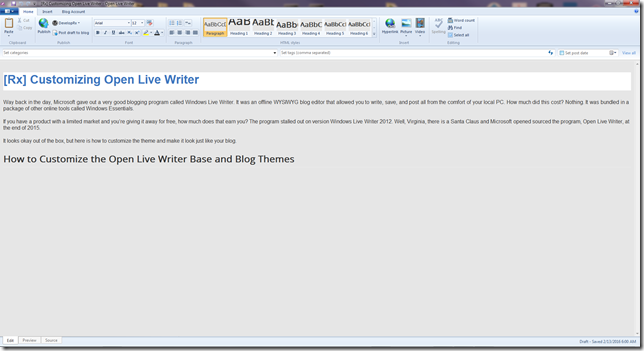
Unfortunately, the fix is not going to be easy or pretty. You’re going to have use regedit to hack your windows registry. First off, I only did this in Win7 64B. Will it work in 8, 8.1, or 10? I have no clue. So, if you dare, this is how I did it.
The idea for this hack came from a Windows Live Writer post on Rick Strahl’s Web Log.
1. Use Regedit to Find the Browser Emulation in the Registry.
I’m assuming that you know how to run regedit. Open the program and find this key area:
HKEY_LOCAL_MACHINE\SOFTWARE\Wow6432Node\Microsoft\Internet Explorer\Main\
FeatureControl \FEATURE_BROWSER_EMULATION
2. Add New D-Word.
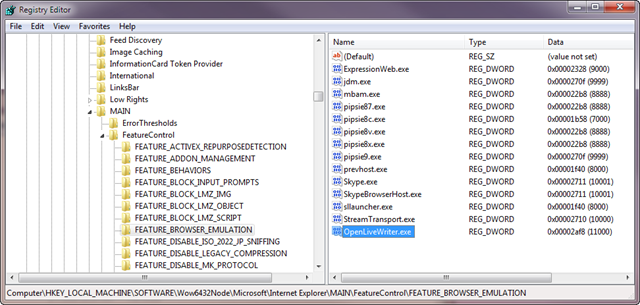
- Right Click the right pane and select New > DWORD
- Name the DWORD OpenLiveWriter.exe
- Set the decimal value 11000.
If you have any screwed up tables or something looks funky. You can change the DWORD to 9000 for IE9 or 10000 for IE10. Also, the split post <—more—> line disappears in the edit tab, but it’s still there in the code.
3. Reload your theme.
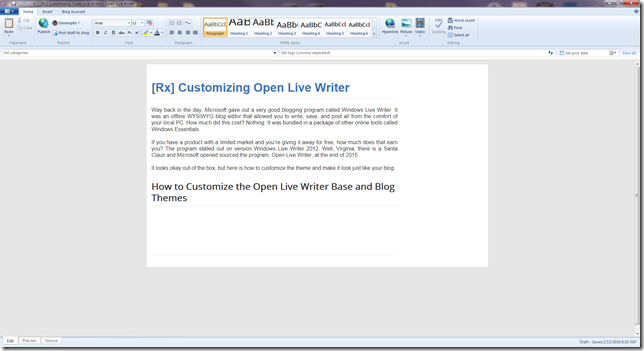
This looks much better.
