Open-Source

[Rx] How to Convert PDF to ePUB

[Rx] How to Convert PDF to ePUB

Converting a PDF to ePUB format isn’t difficult, but getting quality results seems to be nigh on impossible.

DevelopRx assembled a team of crack engineers (actually just me) to tackle this issue and solve it using readily available open source software (a.k.a. FREE!).

The process described in this article is primarily for text-based PDFs with common headers and footers otherwise known as “books.”

[Rx] Updating Git for Win7

[Rx] Updating Git for Win7

Git is a software configuration management (SCM) program. This is just a fancy way of saying that it’s a software package that tracks and controls changes in the code.

I initially installed Git because I was playing around with Vagrant (local web development). It’s also a safe way to get the nerdy Bash shell (UNIX-like scripting language) for Windows without going into Cygwin .

[Rx] How to Trim MP4 Videos

[Rx] How to Trim MP4 Videos

Clean up that M4 Garbage!

Ever been sloppy and left a bunch of junk at the beginning of a screen recording figuring to trim it up later?  Easy, just grab a free MP4 trimming tool and clean it up, right? Ah… no.

[Rx] Font Broke? How to Install Semi-bold, Etc. for Word/PowerPoint

Font_banner

MS-Word and PowerPoint recognize only bold/italic even if other styles are installed?

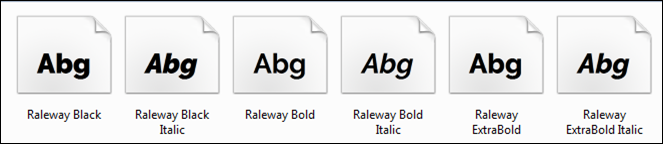
I found the perfect font to use for titles in a presentation, Raleway Semi-bold. I installed it and when I went back to PowerPoint, I had two options: bold and italic. So, where’s semi-bold? A quick search found that it’s a MS-Office problem. A hack around it was to remove all other variations of the bold font, except for the semi-bold. This would be great unless I wanted to use the actual bold font. My solution was to rename the Semi-Bold Raleway font and install it as a “new” font.

[Rx] Customizing Open Live Writer

[Rx] Customizing Open Live Writer

Way back in the day, Microsoft gave out a very good offline blogging program called Windows Live Writer. It was an offline WYSIWYG blog editor that allowed you to write, save, and post all from the comfort of your local PC desktop and came bundled in an online package called Windows Essentials. The program stalled out on version Windows Live Writer 2012.

Microsoft opened sourced the program as Open Live Writer at the end of 2015. From there, it was ignored and forgotten… sad story.

On the off chance you’ve entered a time warp, and go back to 2015, here’s how to customize Open Live Writer.

[Rx] Jupyter Notebook - Select Browser

[Rx] Jupyter Notebook - Select Browser

Jupyter Notebook is an interactive computational environment to run code, add rich text, compute mathematics, draw plots, and add rich media–all in the comfort of your browser.

I have a variation of Firefox, Palemoon, running as my default browser. When I run Jupyter Notebook, I wanted it to open in the Chrome browser.

It looked like a simple command line switch would do the job:

Jupyter Notebook -–browser=”chrome”

That doesn’t work. I tried it without quotes and single quotes. I’ve got a bald spot on the side of my head trying to figure this one out. There’s not much on the web. Here is how to do it…