

JavaScript is built-in to your browser and shouldn’t be an issue, unless it’s turn it off. I was grasping at straws trying to find out why my beautify html page wasn’t executing the script, so I test it by inserting a simple JS button:

JavaScript is built-in to your browser and shouldn’t be an issue, unless it’s turn it off. I was grasping at straws trying to find out why my beautify html page wasn’t executing the script, so I test it by inserting a simple JS button:
 There’s a really interest open source text editor built for web design called Brackets [http://brackets.io]. I installed it and started playing around. There were buttons with no icons or text.
The problem seems to come from installing a development version of Inkscape [https://inkscape.org/en/] that added a conflicting value in the registry for .svg vector graphic files.
The best bet would be to remove any old versions of Inkscape first and see if your problem is solved.
I fixed this by going into the WIN7 registry and searching for .svg in HKEY_CLASSES_ROOT and deleting the “Content Type REG_SZ application/svg” entry. Now, this is the REGISTRY and you can screw up some things if you delete the wrong stuff.
After editing the Registry, I installed the latest version of Inkscape 0.91 without any problems with Brackets.
 I like car camping. I can pack 2.4 tons of gear in the family truckster and head off into the woods. Because of all the extra stuff, I tend to do the opposite of Robert Frost and take the paved road most travelled. BUT, sometimes it’s good to go with just the basics. I take only what I really need and can fit that extra kid in the car.
WordPress is like car camping. When you set up a WP site, you’ve got baggage, lots of baggage. Even worse, it’s not easy being lean. That’s where Skeleton, a responsive boiler plate can really help out.
Here are some forks that may be better supported:
https://github.com/SkeletonFramework/SkeletonFramework
With CCS pre-processor:
https://github.com/whatsnewsaes/Skeleton-Sass
https://github.com/thatuxguy/skeletonLESS

A favicon for a website is an icon that shows up on the webpage tabs and bookmarks. Here’s an example:  Look familiar? Previously for another site, I put my own favicon in the root directory and, by magic, it just worked. For some WordPress sites, it’s a little more complicated.

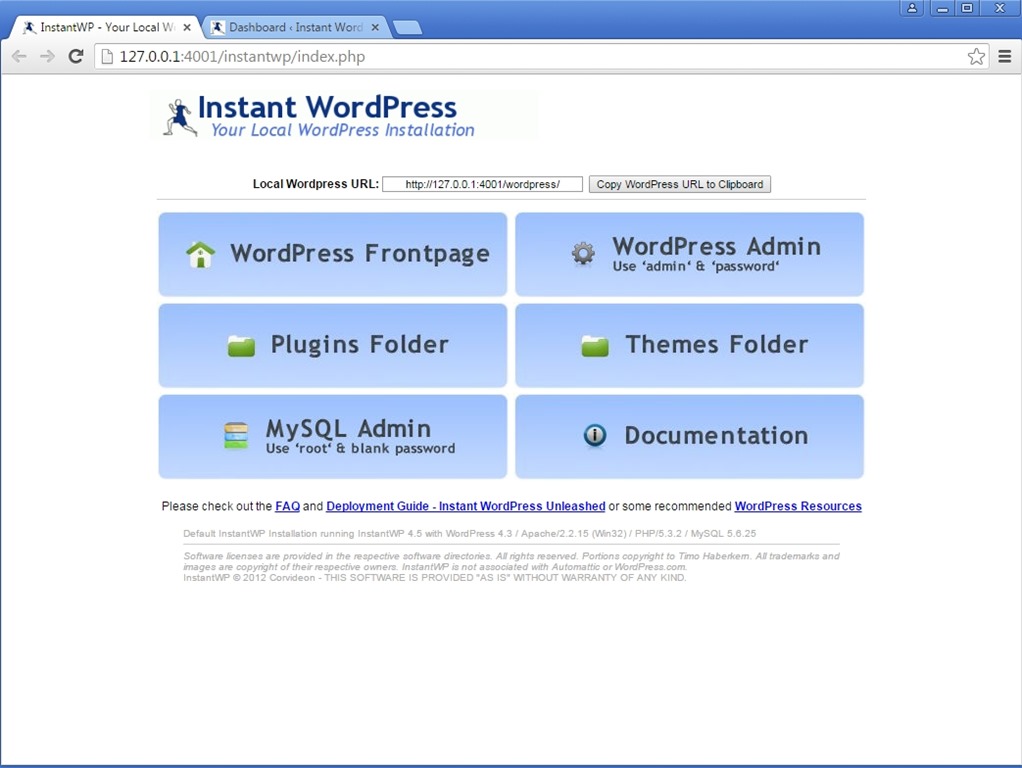
How can I get Instant WordPress to open in a browser other than Internet Explorer, such as Firefox or Chrome?
Adjusting the setting in the IWP server config file in the IWP folder at:
iwpserver/pms_config.ini
You will find the line below setting the BrowserPath variable in the Browser section of the config file:
BrowserPath= ../system/InstantWP_GUI.exe
Change this to something like below, to the path of your browser:
BrowserPath= “C:\Program Files\Mozilla Firefox\firefox.exe”
I set this up using Chromium (Open Source Chrome). The normal InstantWP control panel came under a tab instead of a separate window.


We don’t need you to type at all because we know where you are. We know
where you’ve been. We can more or less guess what you’re thinking
about.– Eric Schmidt, Former Google CEO
Chromium is the Open Source version of the Google Chrome Browse. There are some differences like auto-updates, the integrated Adobe Flash Player or RLZ tracking. The binaries are available from:
http://chromium.woolyss.com/download/en/
There are also “better” versions with 20% less calories and no trans fat rolled out by other companies, such as Comodo Dragon:
 The Vagrant tagline says, “Development environments made easy.” Install a couple of programs and run a few commands on the console. Maybe it’s just me, but once I type out DOS-like
commands, it never seems to go as advertised.
Vagrant is overkill for occasional development of WordPress sites. InstantWP is probably the software tool of choice for causal developers.
 Sometimes, a screenshot says it all. My text seems to push to the left and that looks funky. Hmm.
When I made up this little memory-aide site, I wasn’t too concerned about aesthetics. My goals were:
1. Clean/Functional. Easy to write and easy to read.
2. Responsive. Readable on various devices.
3. Spam-less. No spamy comments.
Normally, I use a plain sheet of paper to get the basic layout done. I kind of winged it on this one. Once I get my new local development set up, there are a few things on the to-do list:
No worries. Content is still king.
I downloaded an .iso of Ubuntu Server 14.04.3 LTS for a VM in VirtualBox. After applying all the settings for a new VM, I hit the green arrow Show icon to run on the top menu (with Ubuntu highlighted below). There was a list of OS iso files, but none were the right one. I pressed the little folder icon to select the file and got an error message.
The workaround is to go back into VirtualBox and hit the golden cog Settings icon. Select Storage. There’s a little CD with a down arrow icon on the right. Click that and select you .iso file. Now, everything should work like a champ.

 I had WordPress comments turned on for awhile and had a ton of spam about penis enlargement, Nigerian relatives, and how Candy wanted to make my wildest fantasies come true. I didn’t think these added much value (sorry, Candy), so I found a WordPress plug-in that turned off ALL the comments, appropriately named Disable Comments.
This adds a new item under the WP dashboard settings. I selected to disable comments everywhere. Harsh? Tell me about it.
